3 Easy Steps to Get Started
1. Download & Sign Up
Download OpenPharmacy free from Google Play or App Store and sign up in minutes.
2. Add Your eScripts
Click the eScript link or paste the token sent to your phone or email from your doctor or pharmacy.

3. Stay in Control
Securely view, manage, and share your eScripts anytime, anywhere - all in one convenient, trusted app.

2 Ways to see the prescription
1
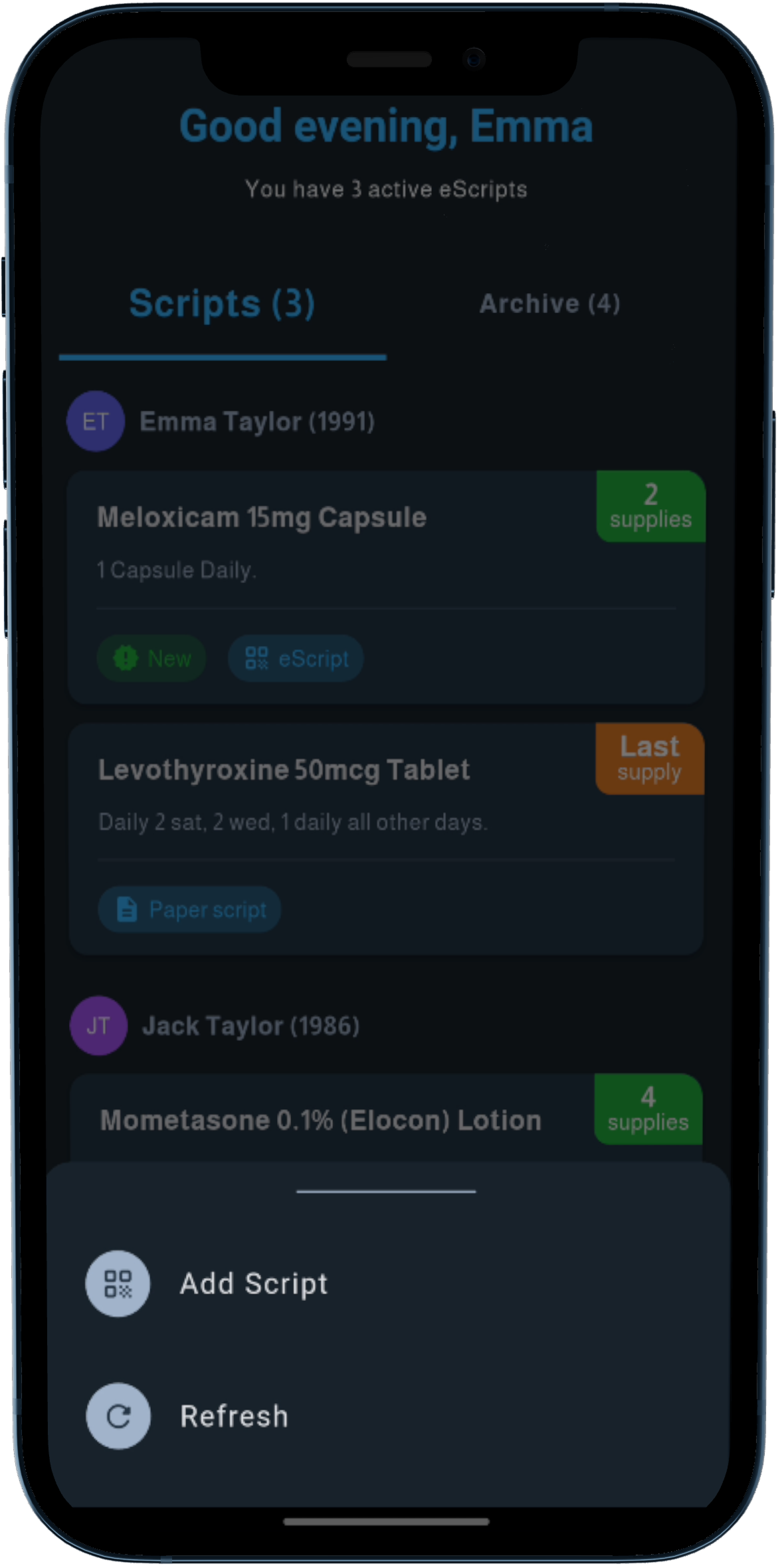
Go to Add Script tab
Receive an eScript token via SMS or email
2
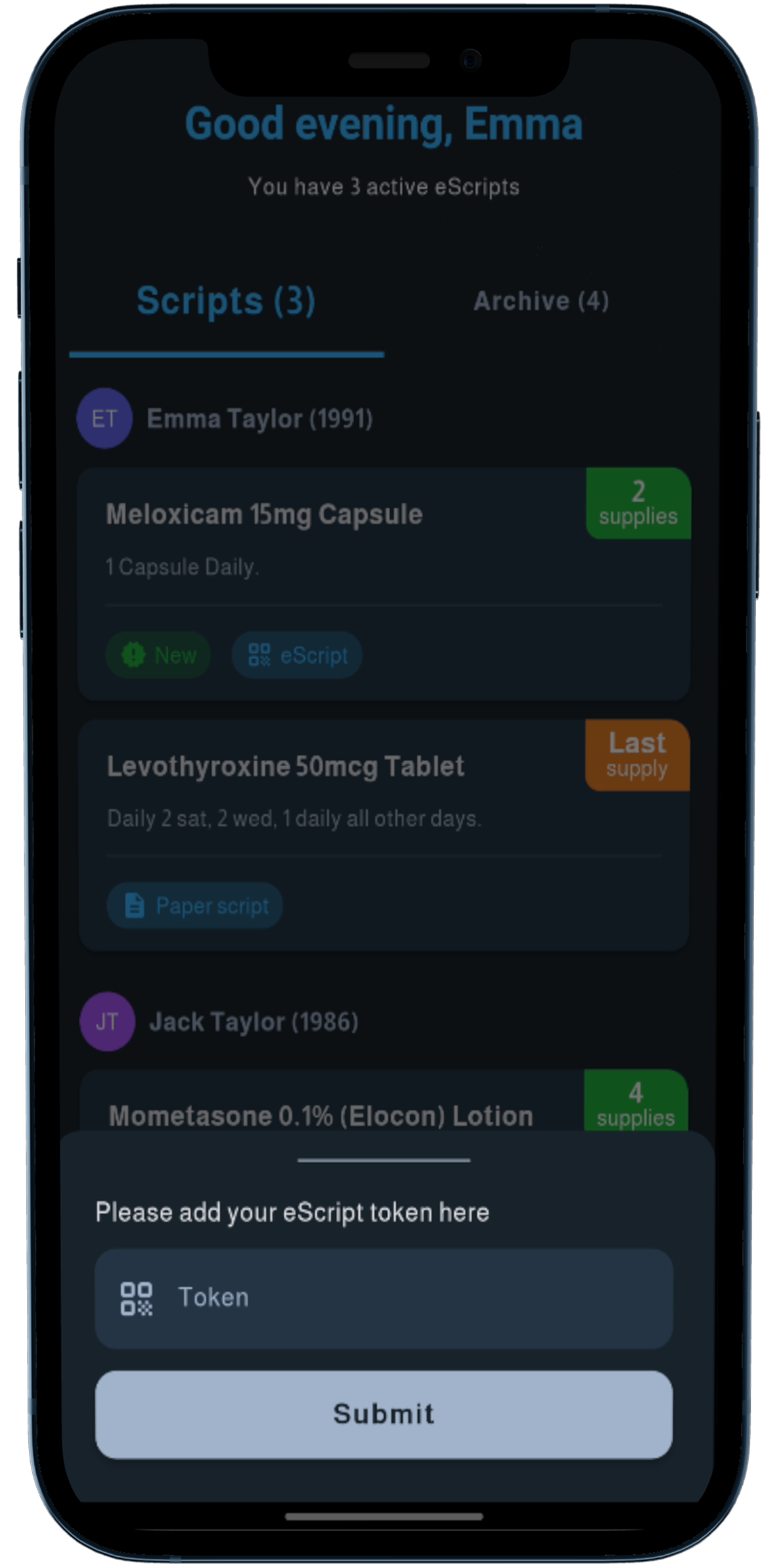
Add the token to the App
Enter your eScript token in the app
3
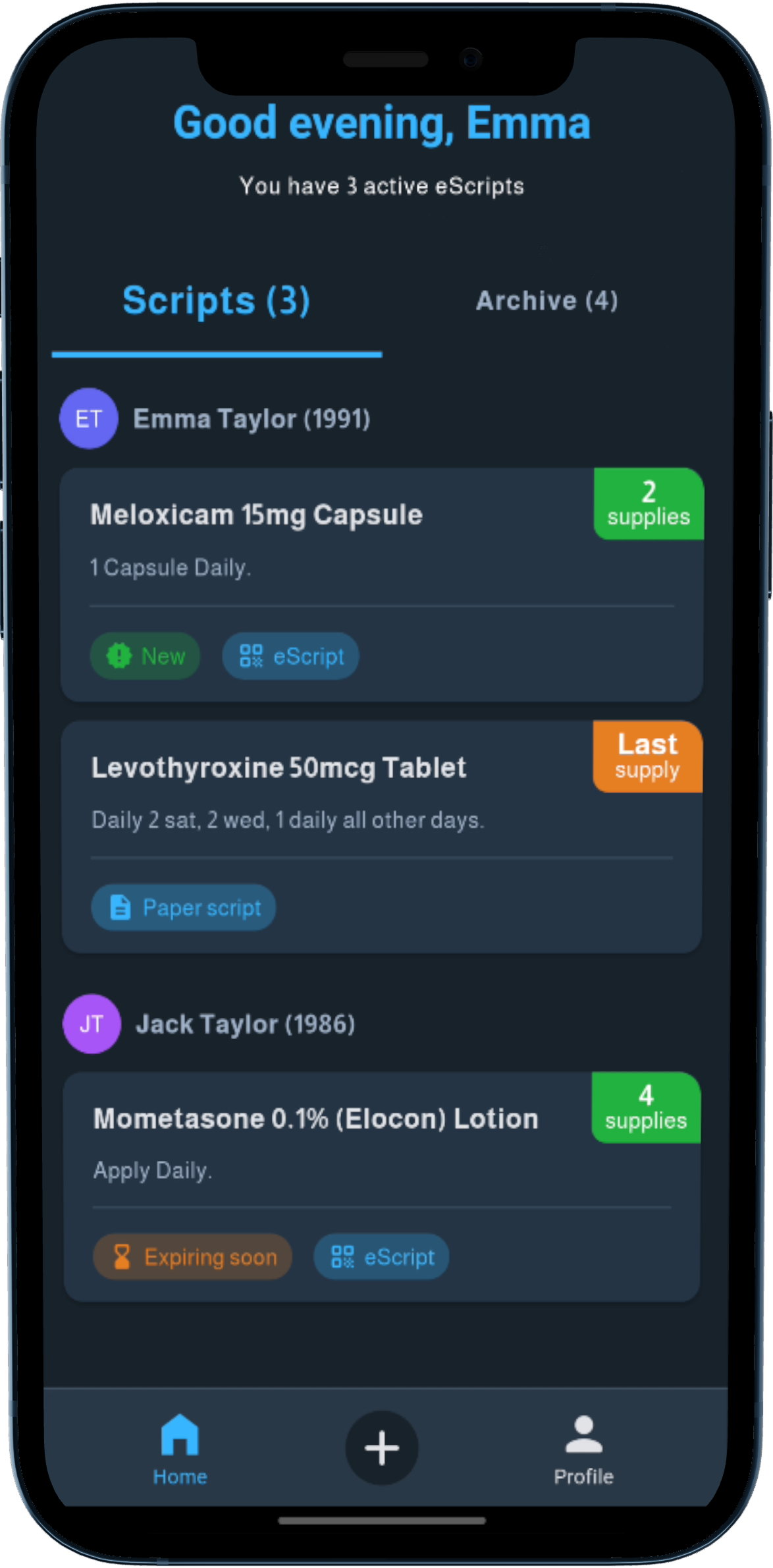
View the eScript
Access your prescription details
Ready to simplify your prescriptions?
Download OpenPharmacy today!